Compare Top School Newsletter Platforms: Smore, Mailchimp, Canva
TL;DR:
Choosing between Smore, Mailchimp, and Canva for school newsletters? Mailchimp excels at email marketing and Canva shines for design. Smore is purpose built for education with school-readytemplates, one-click reader translation, and parent-friendly analytics. That combination helps educators go from data to action, reaching every family in minutes instead of hours.
Every teacher knows this scenario: it is Sunday night, and you still need to create Monday’s classroom newsletter. You open your laptop, stare at a blank page, and wonder why something that should be simple takes so long.
The tool you use makes all the difference. General marketing or design tools are powerful, yet educators need something different. They need a simple workflow that respects time, supports inclusive communication, and leads to actionable insights families can use.
We compare three tools teachers commonly use: Smore (built for schools), Mailchimp (built for marketers), and Canva (built for designers). We focus on what matters most: ease of use, time, features, and real classroom value.
The quick comparison
Smore: The education specialist
Built for K‑12 communication with education templates, accessibility, and engagement analytics that educators can actually use.
Mailchimp: The email marketing powerhouse
Advanced automations and segmentation for professional campaigns.
Canva: The design studio
Great for eye-catching visuals and custom layouts, plus an easy handoff to email tools.
Now let’s see how they stack up for real classroom use.
Ease of use: who respects your time
Smore: made for Monday mornings
Pre-built education templates, a simple editor, responsive layouts, and reader translation built in. Many teachers finish during a planning period because setup and formatting are minimal.
Mailchimp: powerful but complex
Excellent for advanced email programs, with steps and concepts that are more than most classrooms need, like audiences, segments, and journeys.
Canva: beautiful but time-intensive
Unlimited creative control means more design decisions. You still need a separate email tool to send and to measure opens and clicks by recipient.
Winner for ease: Smore. Your weekends are for family, not formatting.
Features That Matter for Schools
Translation 🌍
Smore: One-click reader translation into 130-plus languages on eligible plans. Layout stays intact so families can read in their language of choice.
Mailchimp: No automatic sender-side translation of your campaign content. You can add Google Translate links or build separate language versions and send them to the right segments.
Canva: Built-in Translate to convert design text into 100-plus languages. You still need an email tool to distribute and measure.
Analytics and Engagement 📊
Smore: Parent-friendly dashboards with opens and clicks by recipient when you email through Smore, plus read time and location insights.
Mailchimp: Full marketing analytics, including testing and advanced segmentation on paid tiers.
Canva: Basic insights for shared designs or Canva Websites. No per-recipient email metrics because sending happens elsewhere.
Mobile and accessibility 📱
Smore: Newsletters are mobile-friendly and align with WCAG 2.1 AA.
Mailchimp: Responsive templates with mobile preview and testing tools.
Canva: Exported PDFs or images do not reflow on phones. Publishing as a Canva Website is responsive, yet you still rely on an email tool for sending and analytics.
Content Organization 🗂️
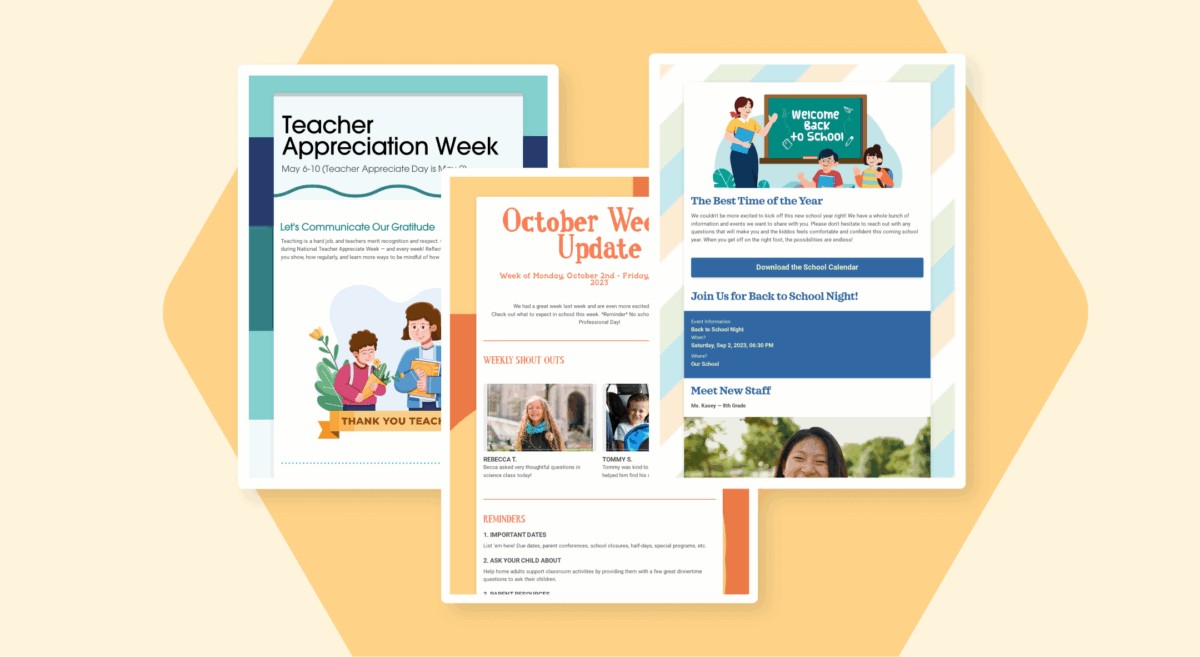
Smore: A built-in template library, quick duplication for weekly updates, and a shareable public profile or folders for families who want an archive.
Mailchimp: Strong organization. Designed for campaigns and automations rather than classroom updates.
Canva: Organizes designs well. Does not display not newsletters as a communication stream. Requires an external email system to complete the workflow.
Time Investment: The Hidden Cost
Smore: Often within a planning period because templates, sending, and translation are built in.
Mailchimp: More time up front to design, configure, and segment.
Canva: Time goes to layout decisions, then export and handoff to your email tool.
Choosing Smore can save hours across a school year because it is an all-in-one newsletter workflow for schools.
Pricing: Understanding the True Cost
Smore Pricing
- Free: 3 newsletters, limited analytics
- Basic: $89/year, unlimited newsletters, and advanced analytics
- Pro: $149/year, reader translation and branding options
- Premium: $249/ year, higher monthly email sends, and priority support
- Teams: quote-based for districts
Mailchimp Pricing
- Free plan includes up to 500 contacts and 1,000 monthly sends.
- Essentials, Standard, and Premium pricing scales by contact count and sends.
- Premium list price starts at $350/month for 10,000 contacts.
Canva Pricing
- Free: Limited templates and storage
- Pro ($12.99/month): Full access
- Teams ($14.99/user/month): Collaboration features
- Plus: Separate email service needed ($10-50/month)
Real-World Use Cases
Classroom Newsletter
Smore shines here:
- Weekly updates in minutes
- Parent-friendly design
- Automatic translations for range of families
- Photo galleries of classroom activities
Mailchimp works, but:
- Overkill for simple weekly updates
- Parents may mark as spam (marketing look)
Canva struggles with:
- Time investment too high for weekly creation
- No integrated sending mechanism
District-Wide Communications
Smore advantages:
- Consistent branding across schools
- Central management dashboard
- Analytics for superintendent reports
Mailchimp considerations:
- Powerful segmentation options
- Better for large marketing campaigns
- Requires dedicated staff training
Canva limitations:
- No communication infrastructure
- Can’t track engagement
- Difficult to maintain consistency
Special Event Announcements
All three platforms can handle event announcements, but:
Smore: Templates specifically for school events
Mailchimp: Requires custom design work
Canva: Beautiful but time-intensive
The Verdict: which tool fits your school?
Choose Smore if you want to create and send newsletters quickly, need one-click reader translation, value accessible, mobile-friendly design, and want engagement analytics by recipient.
Choose Mailchimp if you have dedicated marketing staff, need advanced automations, and can invest the time to manage segments and journeys.
Choose Canva if design is your top priority and you already use an email tool for distribution and analytics.
The Bottom Line
While Mailchimp and Canva excel in their respective domains (marketing and design), Smore stands out as the clear winner for school newsletters. Built by educators for educators, it understands that teachers need beautiful, engaging newsletters without the time investment or technical complexity.
Your time is precious. Your families deserve clear, accessible communication. Your school needs engagement analytics that actually matter.
Smore delivers all three while respecting the reality of your busy schedule. Because the best newsletter platform isn’t the one with the most features—it’s the one you’ll actually use consistently. 🎯
Start Your Newsletter Transformation Today
Ready to reclaim your weekends and create newsletters families actually read? Whether you’re switching from another platform or starting fresh, Smore makes school communication simple, effective, and, dare we say… enjoyable.
Join thousands of educators who’ve discovered that school newsletters don’t have to be a chore. Because when communication is easy, connection follows naturally.
FAQ
What's the best newsletter tool for teachers?

How does Smore compare to Mailchimp and Canva?
Can I use Canva for school newsletters?
Is Mailchimp good for schools?
How much time does Smore really save?